
 Side Control
 Closed Guard
 Sitting Guard
Your BJJ video library
Smart way to organize your BJJ videos
Save technique clips from Instagram, TikTok and YouTube, sort them by position, and find the right one before class.
How it works
From saved to sorted in three steps
Save the clip
Copy the link of a reel, TikTok or YouTube video and paste it in. On Android you can share it straight to the app. The thumbnail comes with it.
File it by position
Every clip goes on the position it starts from: closed guard, side control, the back and more. Add your own notes so you remember the details.
Find it and drill it
Open a position and all its videos are there. Link what to do if a move works or fails, log your sessions, and see what to drill next.
See it
Your videos, sorted, on your phone
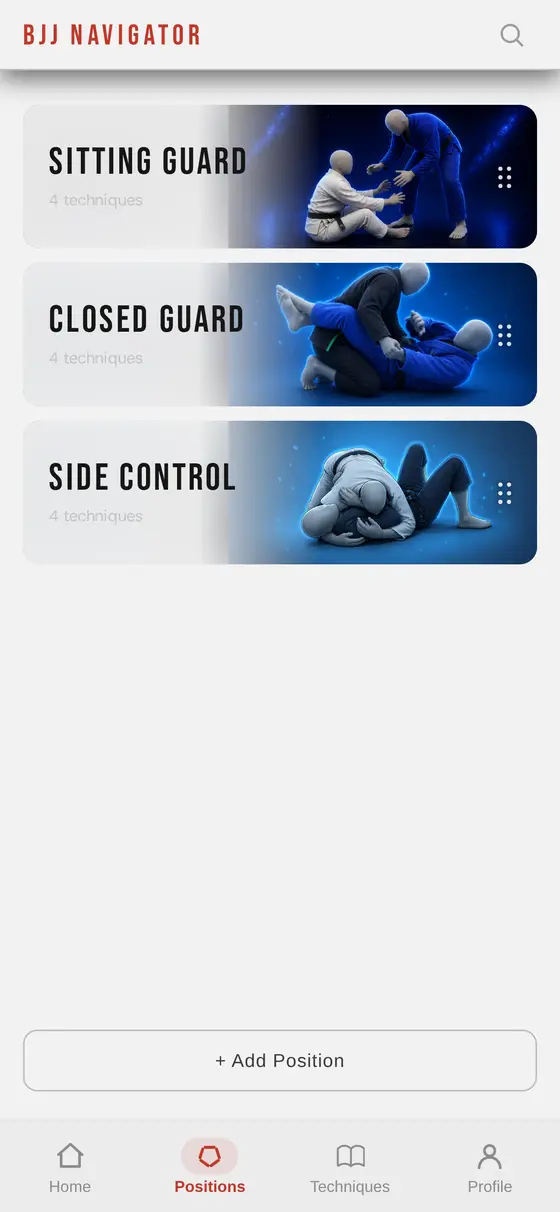
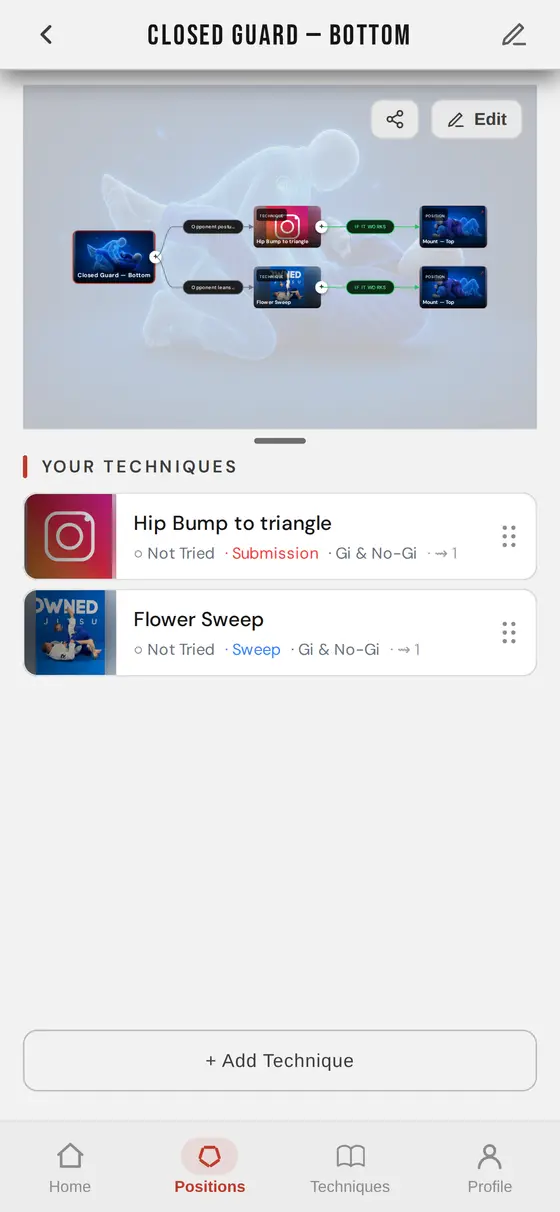
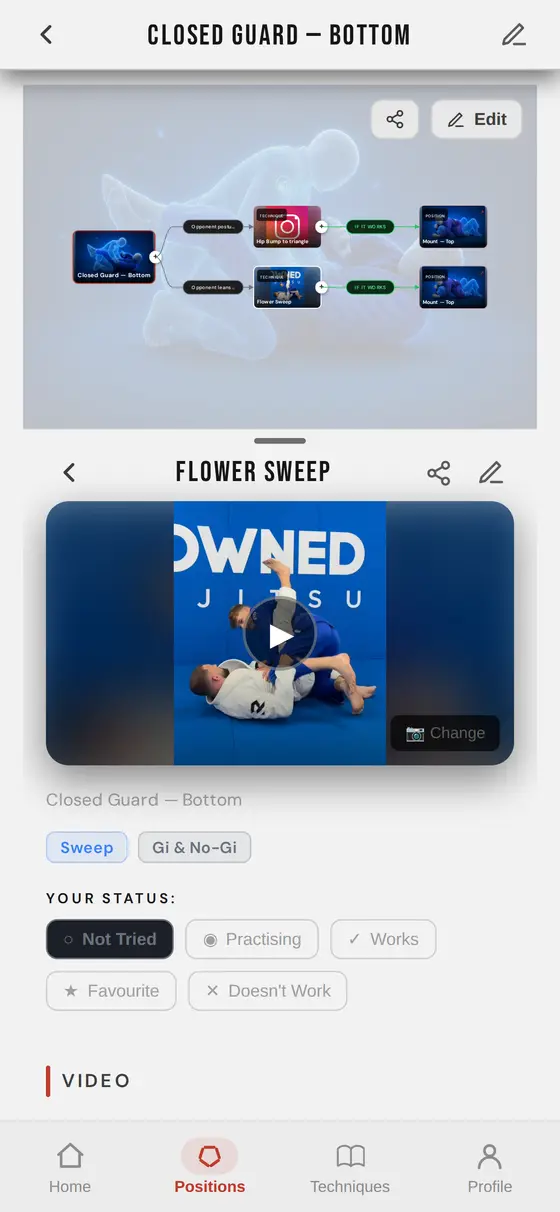
Features
Everything your videos need
One clip library
Instagram, TikTok and YouTube videos in one place, with automatic thumbnails.
Sorted by position
Every video sits on the position it starts from, so you find it in seconds.
Your notes on every clip
Write down the key details next to the video, and mark what works for you.
Clips linked into a game plan
A visual map of which video comes next, if the move works and if it fails.
What to drill next
A training calendar and suggestions based on the clips you haven't drilled lately.
Share with friends
Send a clip or a whole position to your training partners and follow their progress.
Pricing
Start free
Every feature is in the free plan. Premium removes the limits.
Free
- Up to 10 positions
- Up to 30 techniques
- All features
Monthly
- Unlimited positions
- Unlimited techniques
- Cancel any time
Yearly
- Unlimited positions
- Unlimited techniques
- Cancel any time
FAQ
Questions
Is BJJ Navigator free?
Yes. The free plan holds up to 10 positions and 30 techniques, with every feature included. Premium removes the limits for $4.99 a month or $49.99 a year.
Do I need an account to try it?
No. Tap Try it free and you get your own map straight away. Create an account whenever you like and everything you added stays.
Which videos can I save?
Instagram reels, TikTok videos and YouTube videos, including Shorts. Copy the link in the app you watch it in and paste it into BJJ Navigator.
Can I use it on my phone?
Yes. It runs in your phone's browser and can be installed to your home screen like an app. On Android you can then share clips to it straight from Instagram.
Can I cancel Premium any time?
Yes. Manage or cancel your subscription from the app's settings at any time. Your techniques stay yours.
Position guide
Learn the positions
What each position is, what to aim for from the top and the bottom, and the mistakes to avoid.